
Compare before committing
Try warm, cool, light, and dark directions without repainting the wall between every option. A color visualizer helps narrow a large palette to a practical shortlist.
Preview before you paint
Test new paint colors on your own room photo before you buy.
Compare wall, ceiling, and floor palettes in real context — furniture, lighting, and openings stay visible, so you can judge the whole space, not just a swatch.
Shortlist colors online, then confirm the final choice with a physical sample in the real room.
Decide with the room in view
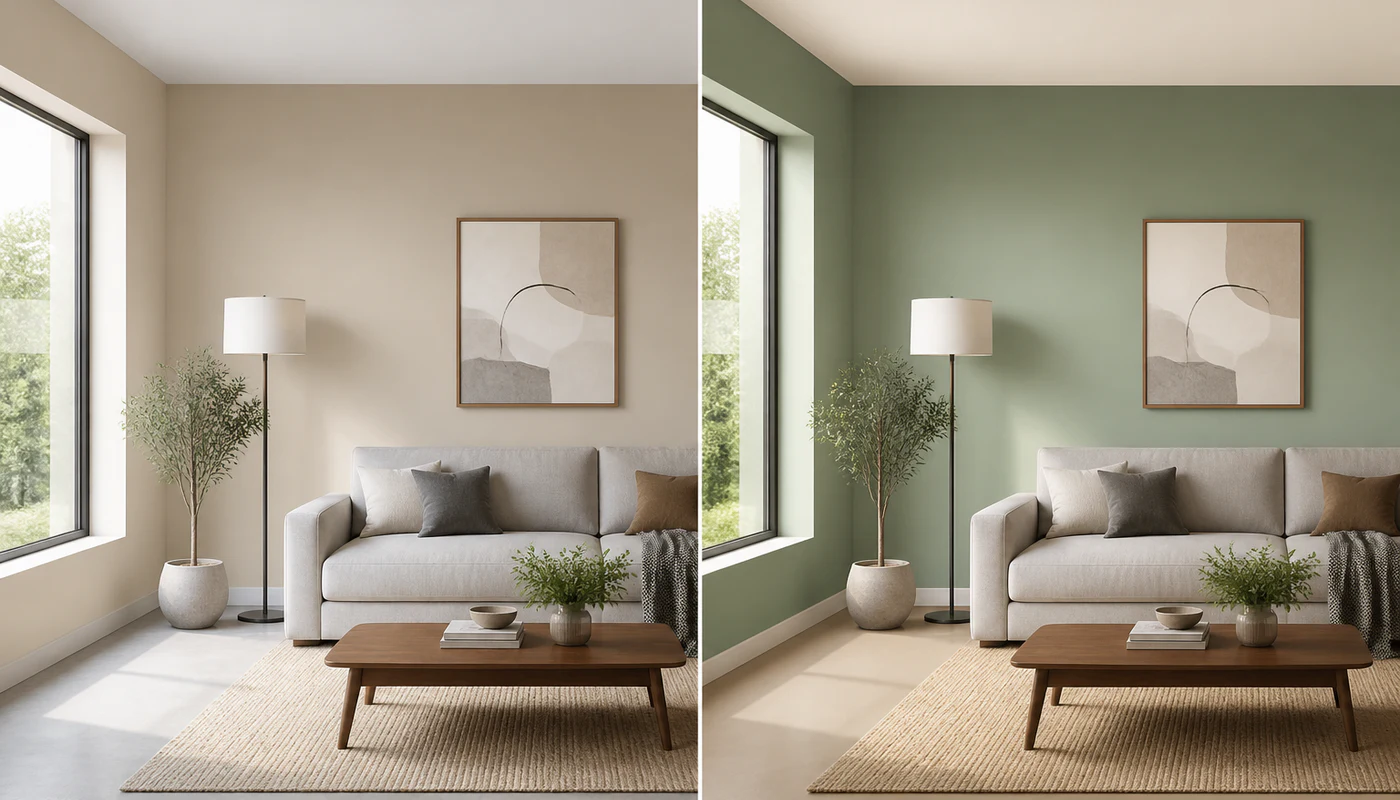
A room paint visualizer moves the decision from an isolated chip to the space where the color has to work. Compare directions early, discuss them clearly, and reduce avoidable test painting.
Try warm, cool, light, and dark directions without repainting the wall between every option. A color visualizer helps narrow a large palette to a practical shortlist.
Review a color beside the room's windows, flooring, furniture, trim, and existing finishes. The surrounding elements often change whether a paint color feels balanced.
Give a partner, client, or contractor a before-and-after reference instead of relying on color names alone. The visual becomes a focused starting point for feedback.
From photo to comparison
Go from one room photo to a shareable before-and-after comparison in three focused steps.
Try the Color VisualizerStart with a well-lit image that shows the wall edges and as much of the ceiling and floor as the decision requires.
Choose the walls, ceiling, or floor and use the paint simulator to test a color direction. AI redraws those surfaces while preserving the room layout, furnishings, openings, and light.
Review the original beside the recolored room, refine the strongest option, and save a comparison for feedback or a paint consultation.
Plan more than one plane
A useful wall color visualizer should show how neighboring surfaces affect one another. Treat each plane separately, then review the palette as one room.
Compare a full-room wall color or isolate one feature wall. Check how the choice meets trim, windows, artwork, and fixed cabinetry.
Test a bright neutral, a softer tint, or a darker ceiling direction. Overhead color can change the perceived height and atmosphere of a room.
Explore lighter or deeper floor tones when planning a broader refresh. Use the result to coordinate paint with wood, tile, carpet, or stone samples.
Built for real color decisions
Compare options before buying several cans of paint. Use a room color visualizer online to align household preferences and arrive at the store with a smaller, more confident shortlist.
Place color directions in the client's actual room, explain the relationship between surfaces, and export alternatives that make the next review more concrete.
A preview, not a paint guarantee
Screen calibration, camera exposure, time of day, sheen, surface texture, nearby colors, and the real paint formula can all change appearance. A virtual preview is strongest as a comparison tool: use it to eliminate weak options and identify candidates worth sampling.
Color decisions in context
Practical feedback from the renovation and presentation decisions this visual workflow is designed to support.
Seeing the original and recolored room side by side made it easier to rule out tones that felt too cool beside our sofa and floor.
The comparison gives clients something concrete to react to. We can discuss the walls, ceiling, and floor as one palette instead of isolated swatches.
I narrowed the shortlist before buying samples, then checked the final two colors on the real wall in morning and evening light.
Questions before choosing a color
Practical answers about photos, virtual recoloring, room surfaces, accuracy, and exported comparisons.
Continue planning the room
Build a spatial model when you need to review color together with furniture scale, circulation, materials, and lighting from multiple viewpoints.
Explore this resourceDraw a measured 2D layout when room dimensions, openings, and furniture placement need to be resolved before finish selection.
Explore this resourceFollow the guide to clean up wall lines, dimensions, labels, and image quality before continuing a room plan into 3D.
Explore this resourceTake your palette outside and try AI home exterior design free: compare exterior paint, siding and roof colors on a photo of your home.
Your room, your next palette
Start with a clear photo, compare colors on the surfaces that matter, and finish with a before-and-after image you can review before buying paint.