
Your tools, in conversation
Choose interior, room, kitchen, exterior or landscape tools from the function gallery. Reuse a finished image as the reference for the next design exploration, while keeping its source nearby.
A connected space for spatial ideas
Bring your room and house design process into focus with AI Canvas. Connect references, explore image ideas and carry a selected result into video, with every step visible in one workspace.
Explore the workspace first. Sign in when you are ready to create.
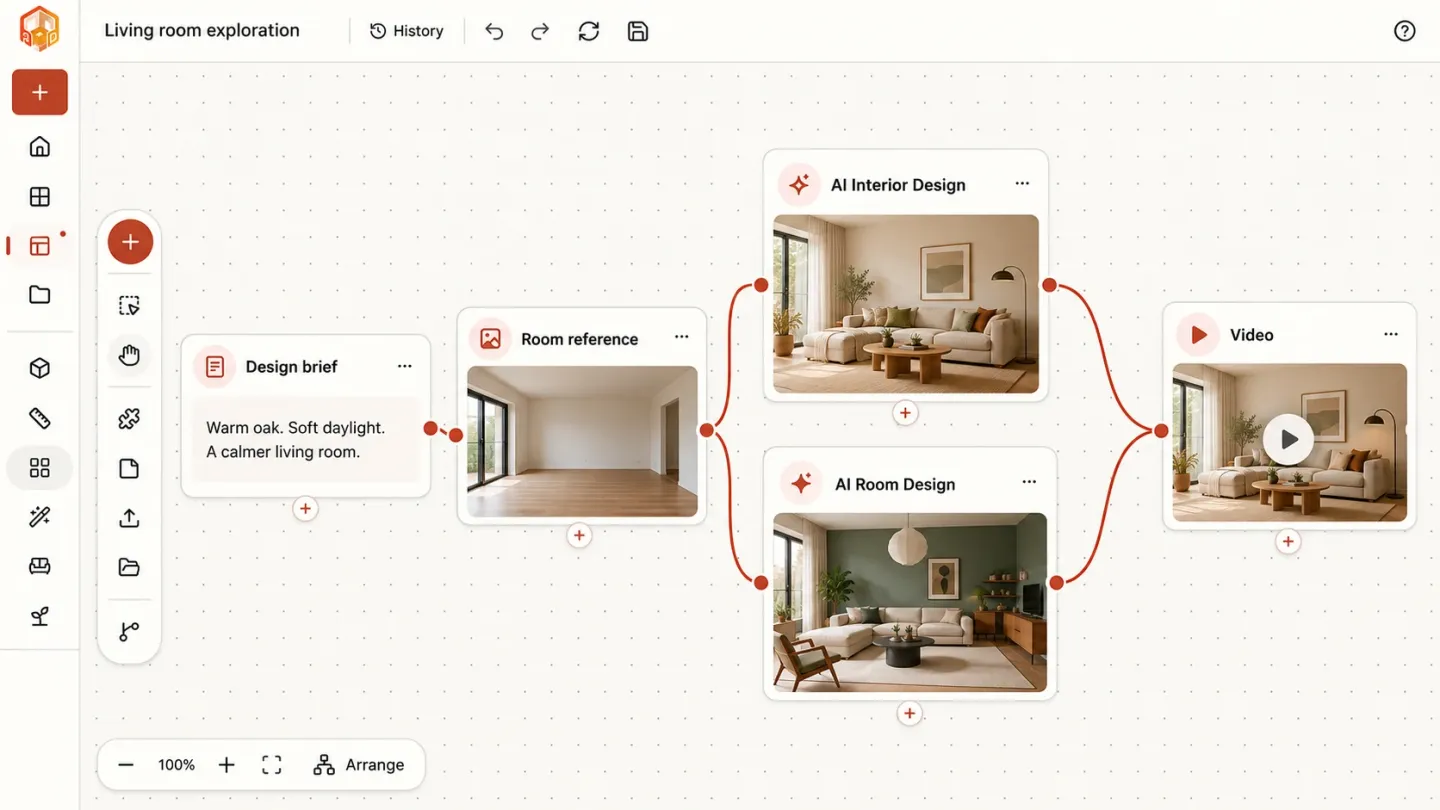
A room photo becomes a starting point, a note explains the direction, and a connection makes the next step clear. Build a visual story you can return to, instead of losing the context between tools.
Choose interior, room, kitchen, exterior or landscape tools from the function gallery. Reuse a finished image as the reference for the next design exploration, while keeping its source nearby.
Connect cards, add notes and arrange related ideas. Keep alternative materials, moods and viewpoints side by side, then inspect the connections to understand how a direction developed.
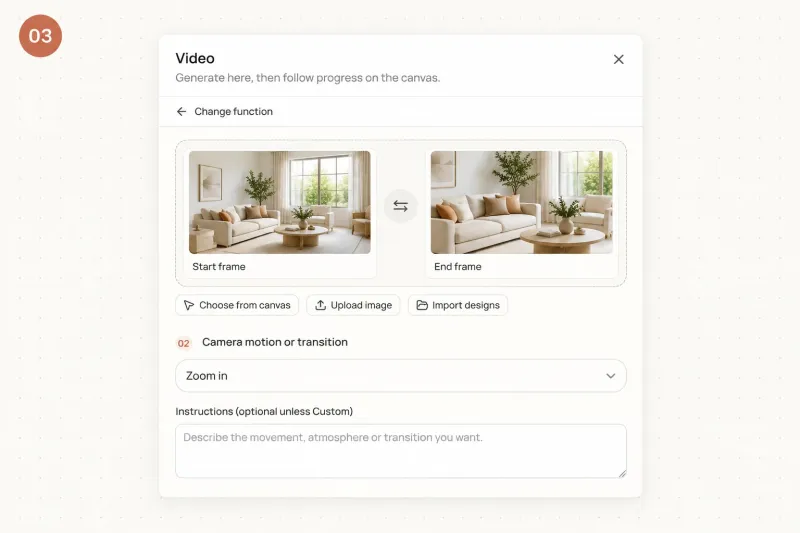
Select a completed design as a video start frame. Where supported, add an end frame and choose motion settings. The resulting video stays alongside the images that informed it.
Think it through with your Agent
Open Agent inside AI Canvas, select the relevant image cards and describe what you want to explore. Ask for a room concept, an interior rendering or a camera tour. Attach reference images to your message and keep the conversation beside the work it informs.
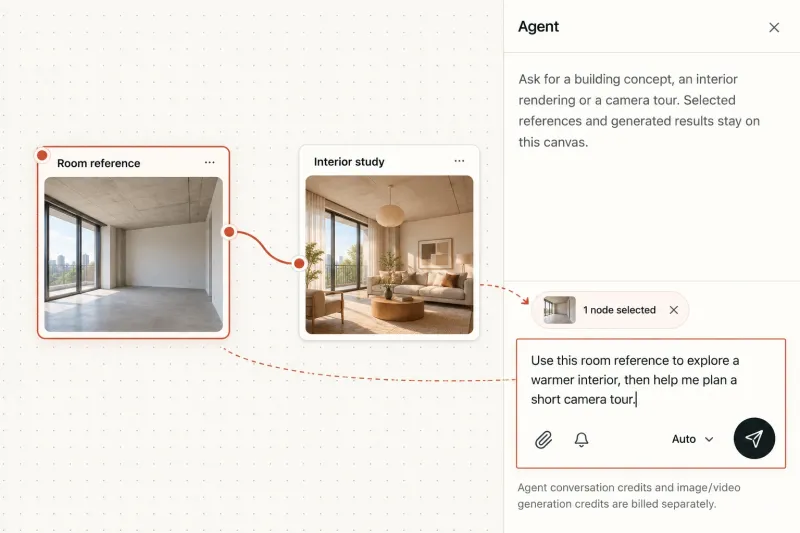
Selected nodes give the Agent context; you decide what to send.
Adapted from the Canvas interface · illustrative workflow
Open AI CanvasThree deliberate steps, from your first reference to a connected creative workflow. Choose a tool or describe your next step to the Agent.
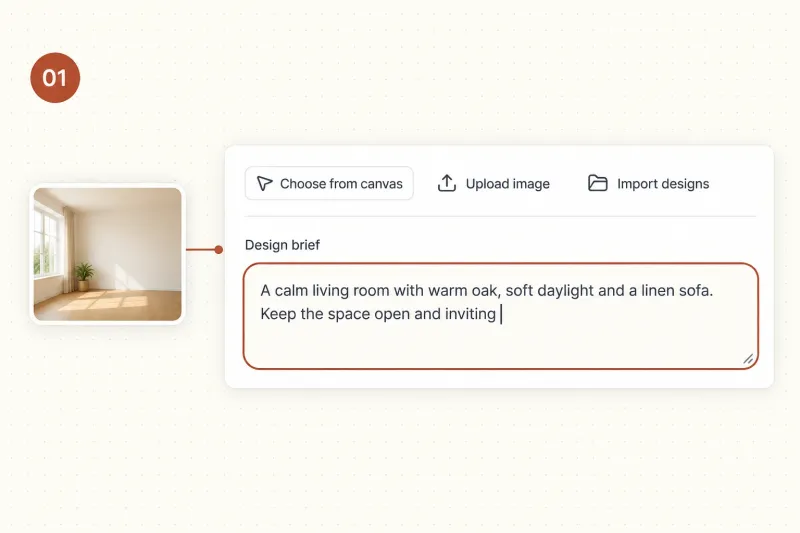
Upload a room reference, write a brief, or sign in to import an existing design. Add a note about materials, light or the intended atmosphere so the starting point stays understandable.
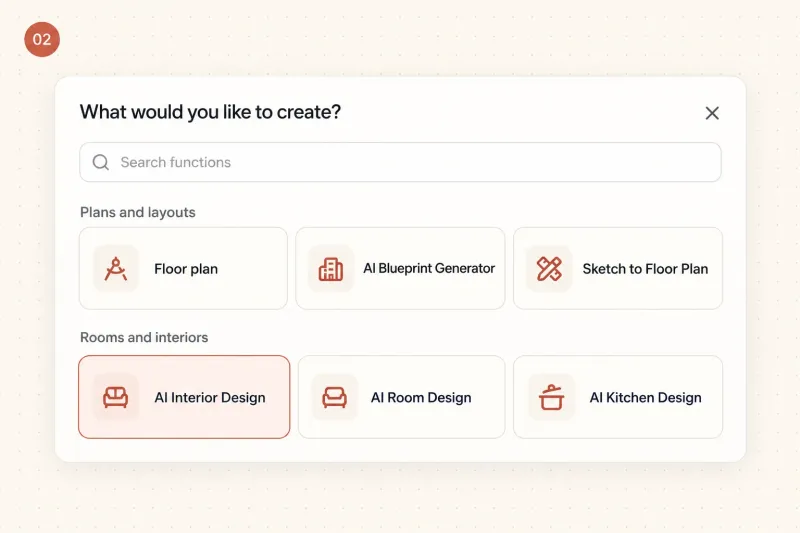
Use a card’s plus button to open the function gallery. Choose a compatible tool, review the selected reference and adjust its settings. Submit generation when the direction is ready. You can also open Agent, select relevant cards and send a brief in your own words.
Inspect the result, keep useful branches and add your next step. For a video, select the start image and optionally the end image. Review the displayed cost before generating.
Use this AI room design canvas for a renovation study or a house concept. Import saved 3D projects to preview them alongside images, then open the existing 3D editor for geometry changes. Pan, zoom and arrange your board as the project grows.
Use AI Canvas when you want to keep references and results together. The tools below let you focus on a specific part of the project: an interior, a room variation, the outside of a house or a video presentation. Start with the tool that matches your current question, then bring supported completed designs into your board to compare options and decide what to explore next.
Explore materials, light and furniture from a room reference.
Try another room style and compare design directions.
Explore facade materials, roof colors and the style of a house exterior.
Turn selected room images into a short presentation video.
Bring a reference, connect a direction and build a workflow you can see. Start with one room and let the board grow with your project.